5 signs your website is collecting customer data in violation of the personal data protection law (PDPL)
You already have a cookie banner. You already have a newsletter sign-up form. At first glance, your website seems compliant.
But looking compliant and being legally compliant are two very different things. Since January 1, 2026, that gap could result in penalties of up to VND 3 billion or 5% of your annual revenue under the Personal Data Protection Law No. 91/2025/QH15 and Decree No. 356/2025/ND-CP.
Most websites are not non-compliant because businesses intentionally ignore the law. Instead, they make small, common mistakes that seem perfectly normal – unless you know what to look for.
Here are five clear warning signs. You don’t need a lawyer or a compliance audit. You can check them yourself in just five minutes using your web browser.
Sign 1: your cookie banner does not have a clearly visible “reject” button
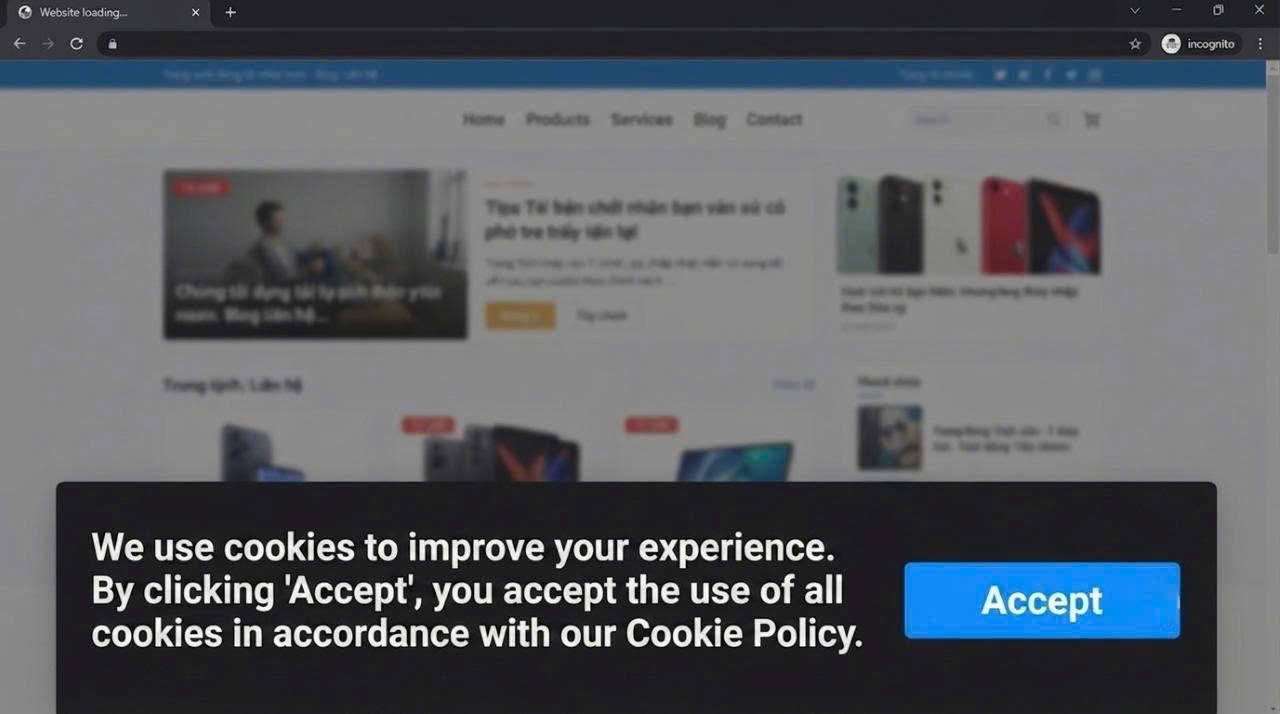
Open your website in an Incognito window. What is the first thing you see?
If your cookie banner only displays a large, eye-catching “Accept” or “Accept all” button, while the “Reject” option is missing – or is smaller, less visible, or hidden behind an extra click – this is your first warning sign.
Why is this a problem? The law requires consent to be freely given.
From a legal perspective, designing an interface that makes “Accept” easier to click than “Reject” creates subtle pressure on users. Regulators in many jurisdictions enforcing the GDPR have already penalized this type of design, and Vietnam is moving in a similar direction.
Quick check: Can users see the “Reject” button immediately, or do they have to click “Customize” before they can decline cookies?
What good compliance looks like: Both Accept and Reject should be displayed the first time the banner appears. They should have the same visual prominence, similar font size, and be equally easy to access. Users should not have to take extra steps simply to refuse consent.
Sign 2: your marketing checkbox is pre-selected
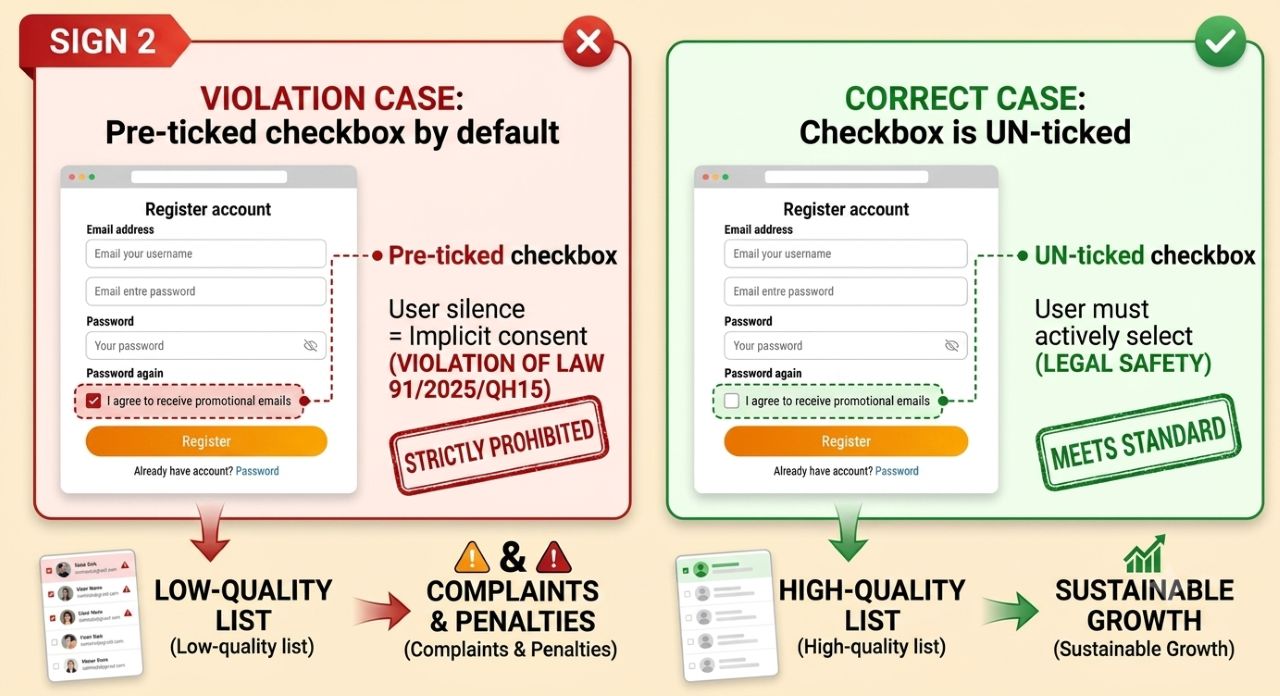
Go to your account registration or checkout page and scroll down to the consent section. Do you see a checkbox such as “I agree to receive promotional emails” that has already been checked by default?
If the answer is yes, this is a direct compliance issue.
Why is this a problem? Under Law No. 91/2025/QH15, silence or inaction does not constitute consent.
A pre-selected checkbox means the business has effectively given consent on behalf of the customer, making the consent legally invalid.
Quick check: Complete the registration process without selecting any additional checkboxes yourself. Afterward, do you still receive marketing emails? If you do, your consent process likely does not meet the legal requirements.
What good compliance looks like: All marketing-related checkboxes should be unchecked by default. Users must take a clear, affirmative action if they wish to receive marketing communications. While this approach may reduce your opt-in rate, it significantly improves the quality of your subscriber list and greatly reduces your legal risk.
Sign 3: You don’t know what customer X consented to, or when
Ask yourself this question: If a regulator contacted you tomorrow morning and asked, “When did customer Nguyen Van A consent to the use of their personal data, and which version of the consent notice did they agree to?” – could you answer within two working days?
If your answer is “Maybe, but I’d have to ask the IT team,” or “I’m not sure,” then this is the third warning sign – and the most serious one.
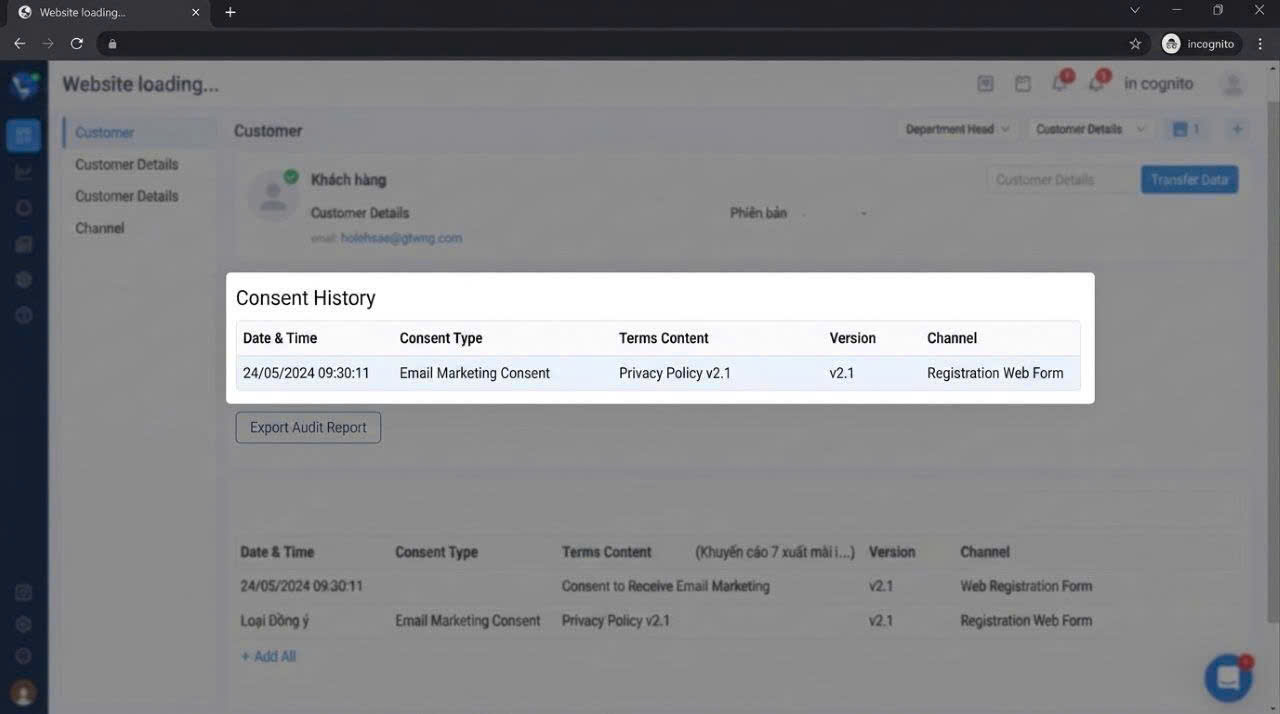
Why is this a problem? The law requires businesses to retain evidence of consent and be able to demonstrate it in the event of a dispute or regulatory inspection. Without an audit log, a record of policy versions, or timestamps, you simply have no evidence.
Quick check: Open your CRM or customer management system and look up any customer record. Is there a field showing “consent given on…,” “policy version…,” or “collection channel…”?
What good compliance looks like: Every time a customer gives or withdraws consent, the system creates a record containing the timestamp, the version of the privacy policy or consent notice presented at that time, and the collection channel (such as a web form, mobile app, or call center). This information is stored independently and can be exported as a report whenever needed.
Sign 4: customers have no easy way to withdraw their consent
Open one of your newsletter emails. Find the “Unsubscribe” link and click on it. What happens next?
If the page asks users to log in before they can unsubscribe, requires them to enter their email address again, or displays a message such as, “Your request has been received and will be processed within 5 – 7 working days,” this is the fourth warning sign.
Now ask yourself a more difficult question: if a customer wants to withdraw their consent for analytics cookies or stop their data from being shared with partners, where can they do that on your website?
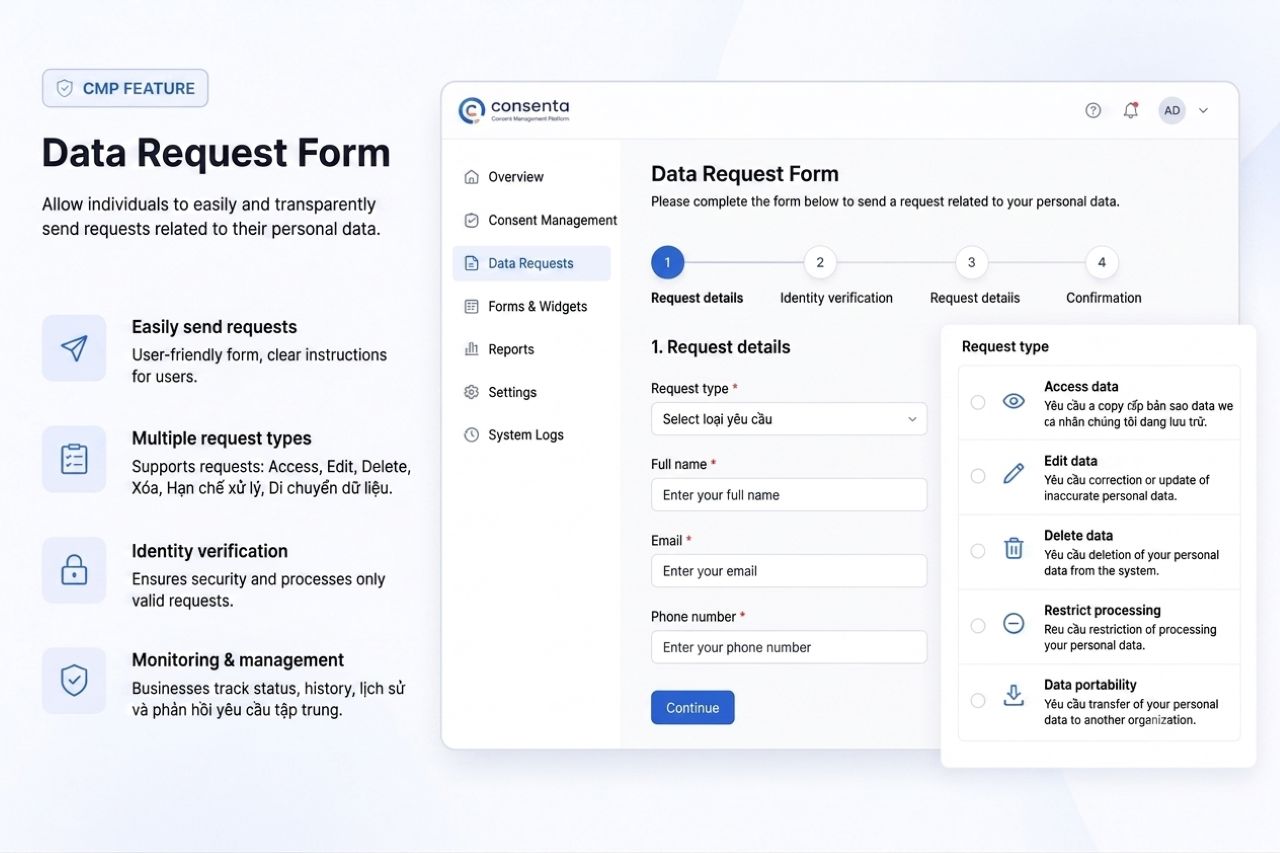
Why is this a problem? Under Decree No. 356/2025/ND-CP, businesses have two working days to respond to a consent withdrawal request and 15 – 20 days to complete it. Without a self-service mechanism, every request has to be handled manually, making it difficult to meet the legal deadlines while increasing the risk of human error.
Quick check: Try sending a “Delete my personal data” request to your own company’s support email. How is the request handled internally? Who is responsible for processing it? How long does the entire process take?
What good compliance looks like: Customers can access a “Privacy Center” or “Consent Preferences” page without having to log in. From there, they can view, update, or withdraw each type of consent independently. The system automatically synchronizes their preferences with the CRM and marketing tools in real time.
Sign 5: Your forms collect sensitive information without explaining how it will be used
Go to your consultation booking form, loan application form, delivery address form, or any form that collects more than just a customer’s name and email address. Read each field carefully, along with any descriptions provided beneath them.
Now ask yourself this question: Does the user know why you need this information and how it will be used?
“Enter your address for delivery” – that’s clear.
“Enter your address” – that’s vague.
“Enter your address,” followed by a small note saying “By continuing, you agree to our terms and conditions” – that’s not enough.
Why is this a problem? The law requires consent to be specific to each purpose. A general statement such as “I agree to the terms and conditions” cannot serve as the legal basis for every way you intend to process personal data – especially when the data includes sensitive information such as location data, financial information, or health data.
Quick check: For every field in your form, ask yourself: “Does the user know this information will be used for purpose X? Have they given separate consent for that specific purpose?”
What good compliance looks like: Each processing purpose has its own checkbox with a short, clear explanation. For example: “We use this address to deliver your order and – if you choose to opt in – to recommend nearby stores during future visits.” Two purposes, two separate checkboxes.
You’ve identified one of these five warning signs – What should you do next?
The good news is that every one of these issues can be fixed. In fact, getting it right from the beginning is much easier than trying to patch things up after a compliance incident.
The reality, however, is that fixing each issue individually only addresses the symptoms. The real problem is the absence of a centralized consent management system – one that collects consent correctly across every channel, stores verifiable evidence, and synchronizes consent preferences with every system that uses customer data.
That is exactly the problem a Consent Management Platform (CMP) is designed to solve.
Quick summary – five warning signs to check
| Warning sign | Quick check | |
| 1 | Your cookie banner does not have a clearly visible “Reject” button. | Open your website in an Incognito window. Is the “Reject” button immediately visible? |
| 2 | Your newsletter subscription checkbox is pre-selected. | Complete the form without selecting any additional checkboxes. Do you still receive marketing emails? |
| 3 | You have no audit log for customer consent. | Check your CRM. Can you tell when customer X gave consent and which version of the consent notice they agreed to? |
| 4 | Customers have no easy way to withdraw their consent. | Submit a request to delete your personal data. How does your internal process handle it? |
| 5 | Your forms collect sensitive personal data without explaining its purpose. | Does every data field clearly explain why the information is being collected and how it will be used? |
Last updated: July 2026. This article is based on Law No. 91/2025/QH15 and Decree No. 356/2025/ND-CP.
Disclaimer: This article is provided for informational purposes only and does not constitute legal advice. Businesses should consult their legal department or a qualified legal professional before making specific compliance decisions.
| Exclusive article by experts from FPT IS
Duong Hong Nhung, Product Marketing, Data Privacy & Compliance Solution , FPT IS, FPT Corporation |
Read next