Vulnerability in Notepad++ Turns Harmless Application into Hacker Tool
Introduction
Notepad++ is known as a free, powerful source code editor and text editor for the Windows operating system. It is popular among programmers and technical users for its lightweight nature, fast speed, and support for multiple programming languages.
At the end of September 2025, this software encountered a dangerous DLL hijacking vulnerability identified as CVE‑2025‑56383 in version V8.8.3. Although the severity level is rated as CVSS 6.5, which is medium, its impact on the system should not be underestimated. This vulnerability allows an attacker to replace a “trusted” DLL (for example, NppExport.dll) with a malicious DLL of the same name, to execute illegal code when Notepad++ is launched.
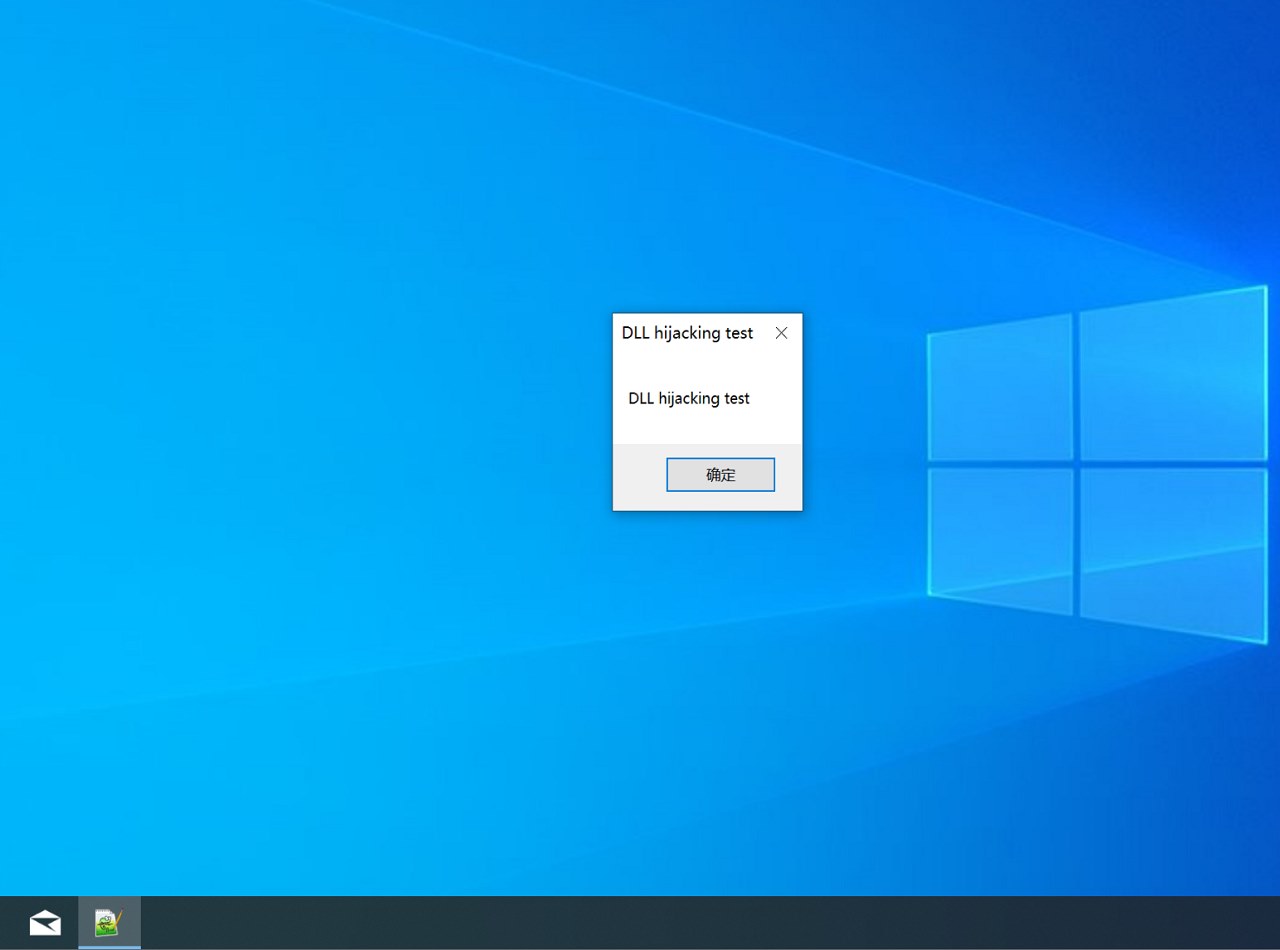
This vulnerability requires the attacker to have write permissions to the Notepad++ installation directory (or a way to place the malicious DLL in the search path).
Main Impact
- Arbitrary code execution when Notepad++ is launched – meaning if the user runs Notepad++, the malicious code will also run.
- Privilege escalation: if Notepad++ runs with higher privileges, the attacker can use this vulnerability to escalate privileges.
- Install persistency: the attacker can keep the malicious code in the system through this method, each time the user opens Notepad++.
- Wide impact: Notepad++ is a popular software used by programmers, system administrators, and regular users, leading to a broad attack surface.
Exploitation Conditions
For a DLL hijacking attack to succeed in practice, it usually requires:
- Scenario 1: Write/overwrite permissions in the directory where Notepad++ loads DLLs (for example, the
plugins\NppExport\directory) or another way to place the DLL file in the process’s search path. - Scenario 2: The attacker already has a foothold (for example, a remote backdoor, or the user has installed malware) and uses this vulnerability to maintain persistence or escalate access.
Technical Analysis
First, we need to understand a bit about the principle of DLL hijacking. “DLL hijacking” is an attack technique where an application is designed to search for and load DLL libraries from paths in a specific order. If the search path includes a directory that an attacker can control or write to, they can place a malicious DLL with the same name before the official DLL, causing the program to load the malicious DLL instead of the legitimate one.
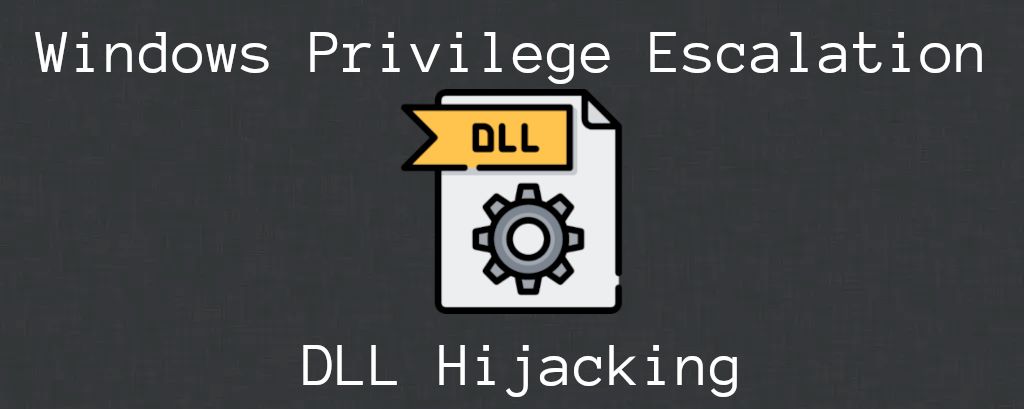
As mentioned above, the attacker first probes the target and identifies the vulnerable version of Notepad++ as well as the target DLL (for example, NppExport.dll). When Notepad++ starts, it will search for and load NppExport.dll from the corresponding plugin directory. Here, the attacker will replace the NppExport.dll file with a malicious DLL and simultaneously forward functions to the original DLL so that the program continues to operate normally.
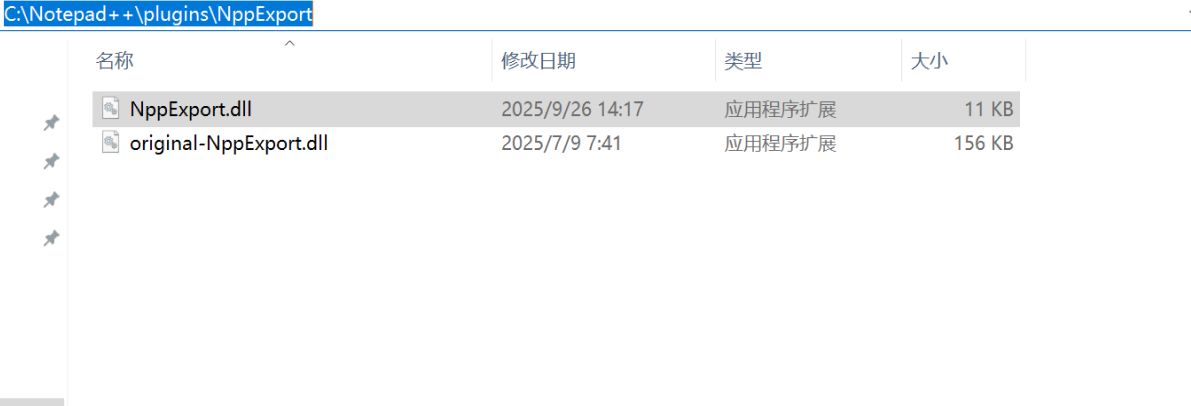
To create a “replacement” DLL with the same export name as the original DLL, the attackers prepared a malicious file.
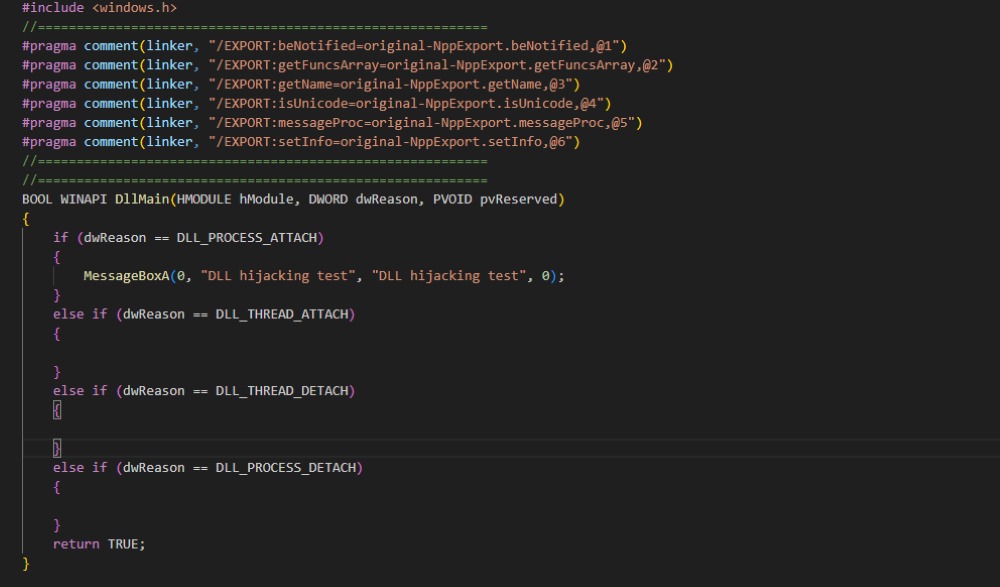
There will be a core part in the operation of this malicious file:
#pragma comment(linker, "/EXPORT:...")- These lines instruct the linker to create exports in the new DLL. Here, export names such as beNotified, getFuncsArray, etc., are forwarded to the corresponding functions in original-NppExport. The main purpose of this section is to preserve the function names that the application (Notepad++ in this campaign) expects, while redirecting the calls to the “original” DLL so the application continues to operate normally. Conceptually, this is a proxy/forwarding technique used to hide the DLL replacement.
And after successfully replacing it, the attacker just needs to wait for the user to open the Notepad++ application. At that point, the system will automatically load the malicious DLL, and DllMain or the malicious export function will execute. This allows the attacker to execute code within the process context.
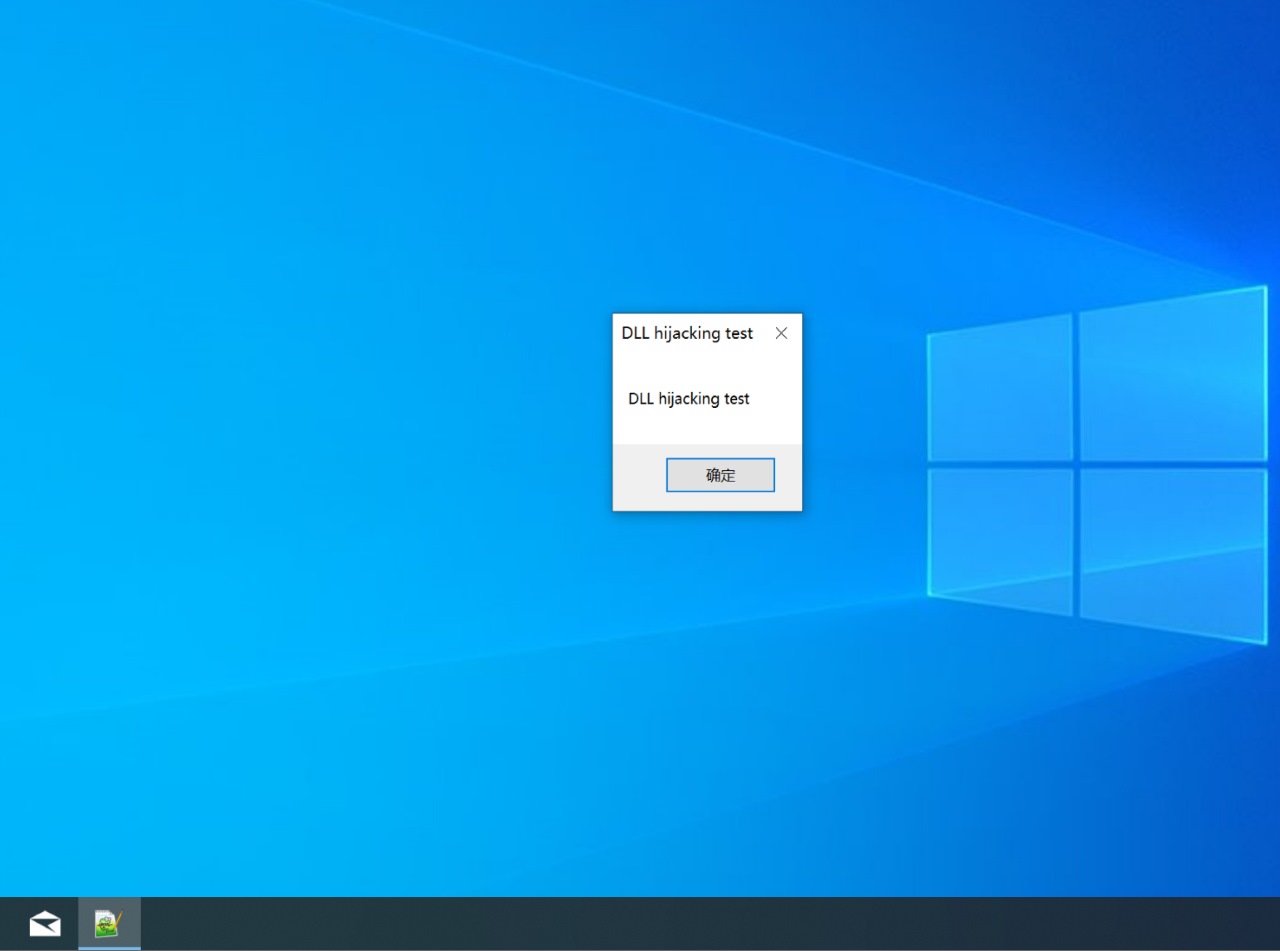
In the end, as is known, the attacker will execute arbitrary code, achieve persistence (every time Notepad++ runs), have the ability to escalate privileges if the process runs with higher permissions, or deploy the next stage (payload).
Recommendation
-
Update Software Patches
- Users should download and upgrade to the latest version via the link: Downloads | Notepad++
-
Manage File and Folder Permissions
- Limit write permissions to the application installation folder (only for administrator accounts, not regular users).
- Use access control mechanisms (ACLs) to prevent unauthorized accounts from writing DLL files.
-
Control and Verify Auxiliary Software (DLL, Plugins)
- Only install plugins/DLLs from trusted sources and check digital signatures if available.
- Do not allow plugins/DLLs to update automatically without verifying their legitimacy.
Conclusion
The vulnerability CVE‑2025‑56383 in Notepad++ is a typical example of how an “old” technique like DLL hijacking can still pose risks when software is not properly protected. Although exploiting it requires local file write permissions, the release of a PoC shows the real danger of the vulnerability, especially in enterprise environments or shared systems.
To protect the system, there needs to be coordination between developers and system administrators: quickly patching vulnerabilities, controlling file access permissions, monitoring DLL changes, and strengthening defense layers (antivirus, EDR, code inspection).
References
- DLL Hijacking Flaw (CVE-2025-56383) Found in Notepad++, Allowing Arbitrary Code Execution, PoC Available
- GitHub – zer0t0/CVE-2025-56383-Proof-of-Concept: CVE-2025-56383-Proof-of-Concept
Exclusive article by FPT IS Technology Experts Luu Tuan Anh – FPT IS Cyber Security Center